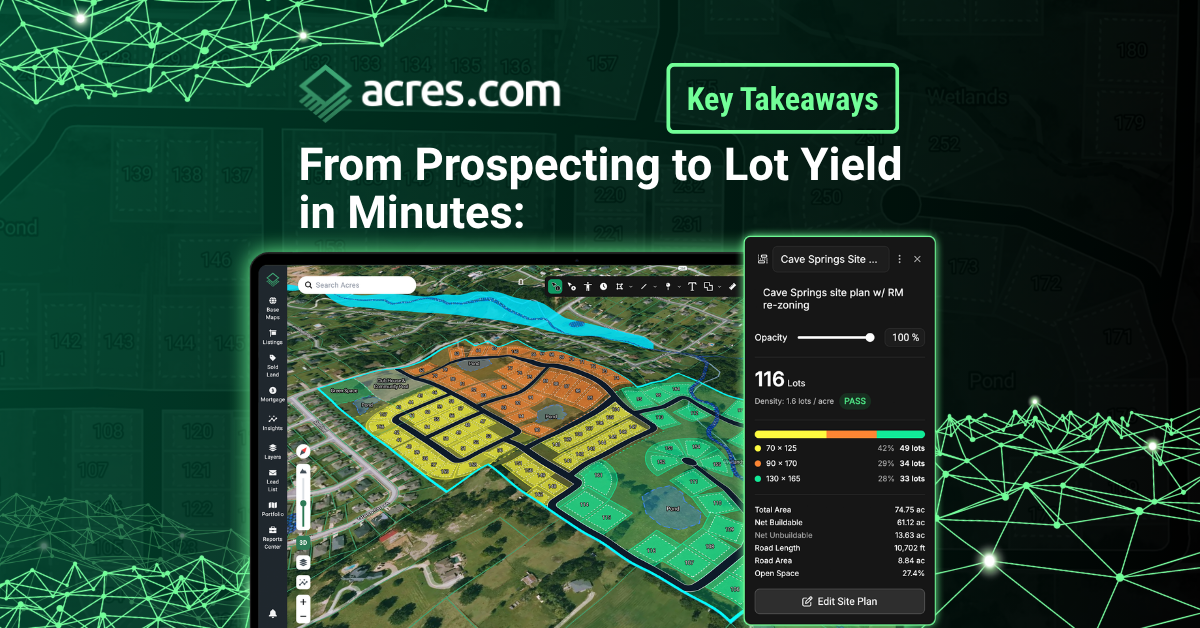
In a recent webinar, Acres' Director of Customer Success Audrey Hickox showcased Site Planner, the newest feature built for development teams who need to qualify sites fast. Site Planner bridges the gap between prospecting and qualifying, giving land teams the tools to run a credible lot yield analysis, flag site constraints, and stress-test a property against zoning and density requirements before moving a site forward.
From the moment you find a parcel worth a closer look to the point where you're ready to hand it off to an engineer, Site Planner supports the entire early-stage evaluation inside Acres.
Here are the biggest takeaways from the webinar:
1. It's a go/no-go tool, not a replacement for your engineer
Site Planner is built for quick lot yield and feasibility analysis, the kind of evaluation you need before committing to the expensive step of hiring a site engineer. It lets you stress-test a property with your own density, zoning, and product type inputs so you can move confidently (or walk away early).
Takeaway: Sinking time and capital into engineering reviews for unviable sites is an expensive way to lose a deal. Site Planner shifts that early assessment to the front of your workflow, giving land teams the clarity to pass on bad fits instantly and bring only the most viable opportunities to their engineers.
2. Pair Site Planner with zoning AI for the most accurate lot yield
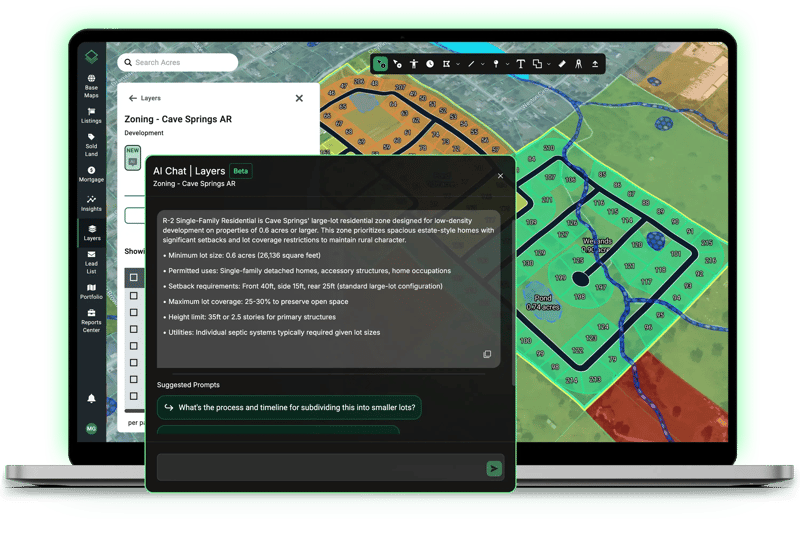
Prior to drafting your initial layout, use Acres’ zoning AI chat to uncover the property’s setback requirements, density limits, or future land use designations. Those insights feed directly into your Site Planner inputs as working constraints, ensuring your concept aligns with local regulations from the very start.
Takeaway: The zoning AI chat surfaces the constraints, and Site Planner shows you exactly what's buildable within them. Together, they eliminate the gap between compliance and design, ensuring your early-stage lot yields are accurate and credible.
3. You have full control over your site plan
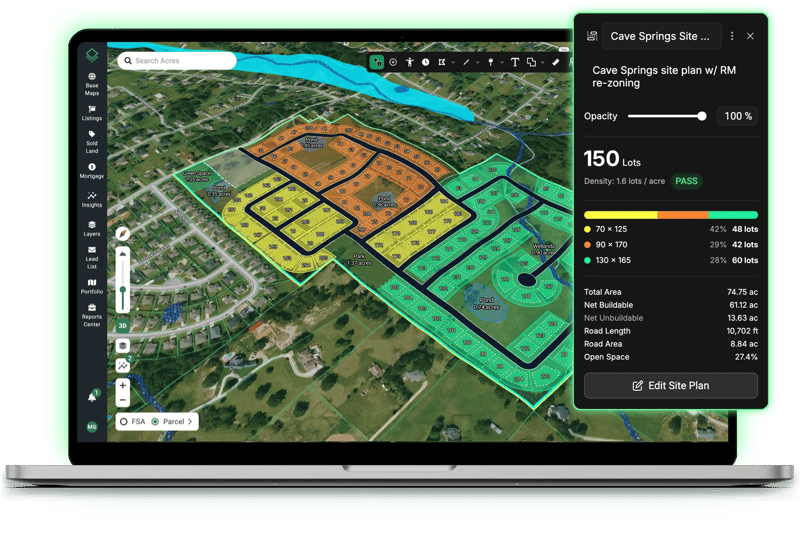
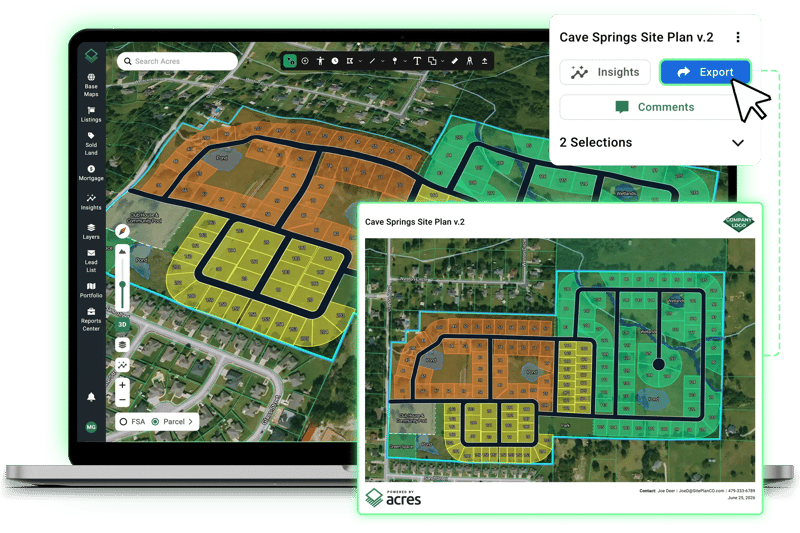
Site Planner offers an array of customization tools: cul-de-sacs with adjustable diameters, lot line extensions, corner snapping to fill gaps, road access visualization, and more. Made a change you're not happy with? No problem. Site Planner lets you back up and try again without starting over. Refining a plan is practical and fast.
Takeaway: The ability to fine-tune roads, adjust lot lines, and support realistic site configurations means Site Planner can reflect how you actually build, not just a theoretical layout.
4. Elevation, flood, and 3D overlays work while you draw
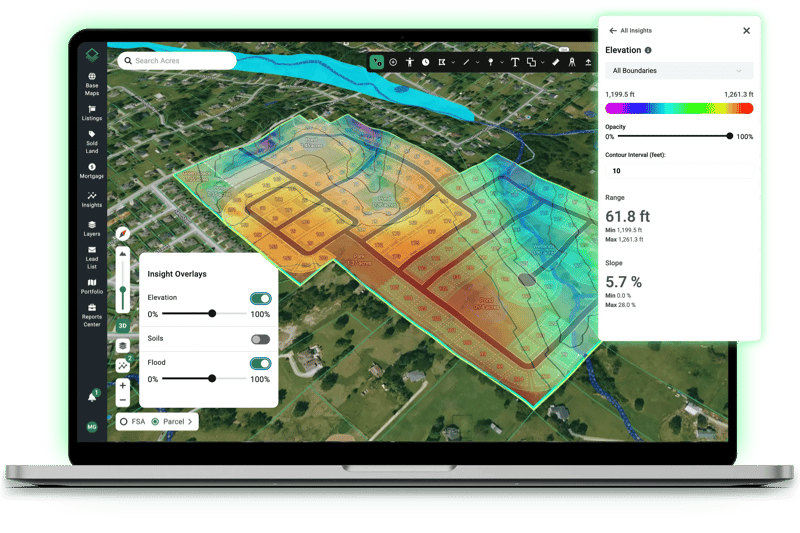
You can leave the elevation map or flood insights on as you're drawing roads and exclusions. Pair that with 3D mode to see slope and grade in real time. Spotted a steeply elevated corner? Draw an exclusion around it and flag it as open space or come back to it later.
Takeaway: Constraints like slope and flood exposure can make or break a site's buildable yield. Having those layers visible while you draw means you're accounting for them in the plan, not discovering them after the fact.
5. Export a shareable site plan PDF in seconds
When you're happy with a plan, you can generate a complete site plan PDF with your logo. It downloads straight to your computer, ready to share with your team or drop into a stakeholder deck.
Takeaway: A lot yield is only valuable if it can move through your organization. Being able to share a clean, branded PDF in seconds keeps the deal moving without an extra production step.
Site Planner is already changing how development teams qualify sites.
By giving land teams a fast, accurate way to run lot yield and feasibility analysis directly inside Acres, it helps you filter out unviable parcels early. That means you save your engineering budget for the deals that actually matter.
Connect with our team to see how Site Planner can fit into your current workflow.