Many developers, builders, and acquisition teams can wait weeks on third-party engineering firms, spend thousands of dollars on reports, and start from scratch every time a configuration changes.
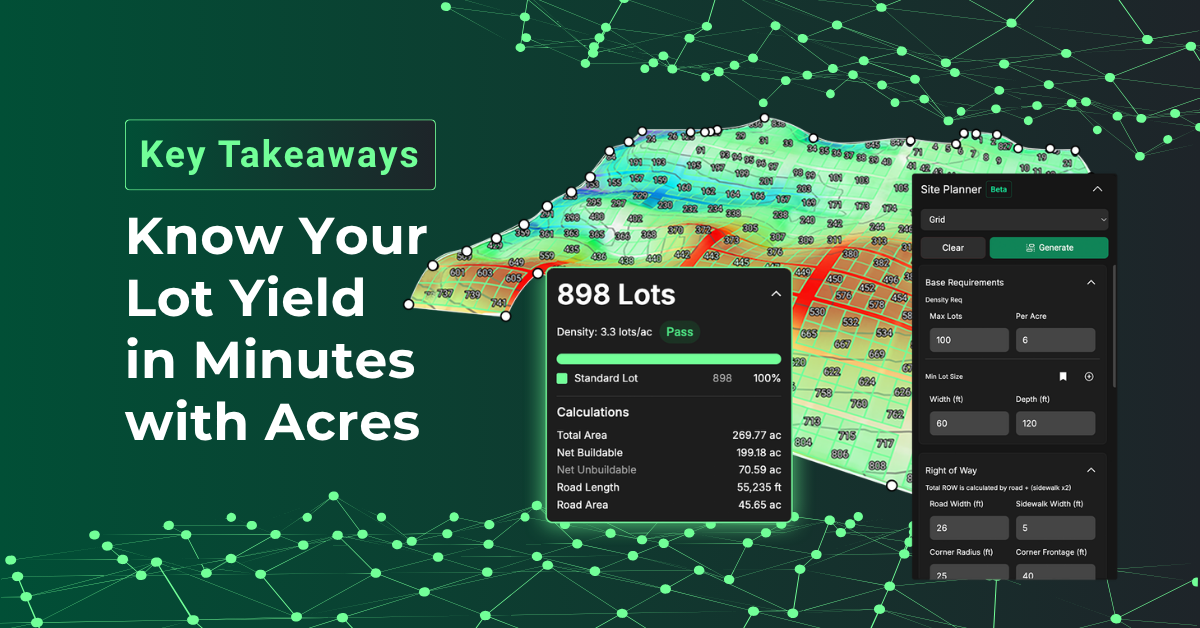
In our recent webinar, Acres’ Senior Product Manager Amanda Banks and Chief Strategy Officer Ben Maddox introduced Site Planner. A new capability that helps teams generate custom lot layouts, run real-time density checks, and generate presentation-ready reports without leaving the platform.
Here are the biggest takeaways from the webinar:
1. Your Expertise Drives the Plan
“There's actually a handful of software solutions in the market already that function as point solutions for site and lot generation. And we wanted to understand why teams aren't using existing solutions. So it turns out a lot of these products that are already in the market had a few key flaws…One of those being the human in the loop, right? So teams would overly rely on automatic generation from computers that render unrealistic site plans.” — Ben Maddox
Takeaway: Existing site planning tools can produce layouts that look fine on screen but fall apart in the real world. Site Planner takes a different approach: you define the boundary, set the parameters, and draw the roads, while the platform handles lot population, density checks, and yield reporting in real time. Because you're the expert on your project, you decide where roads turn and how structure types are distributed across the site.
2. Site Planner Lives Inside Your Full Diligence Workflow
"This is not a point solution. It's actually integrated into the Acres.com platform where you do all your other property due diligence and research." — Ben Maddox
Takeaway: Site Planner is built into the same Acres workspace where your team already pulls parcel data, reviews zoning, checks weekly satellite imagery, runs travel-time analyses, and overlays subdivision plans. You can move from site analysis, flood zone exclusion, and road layout to final yield report without switching applications.
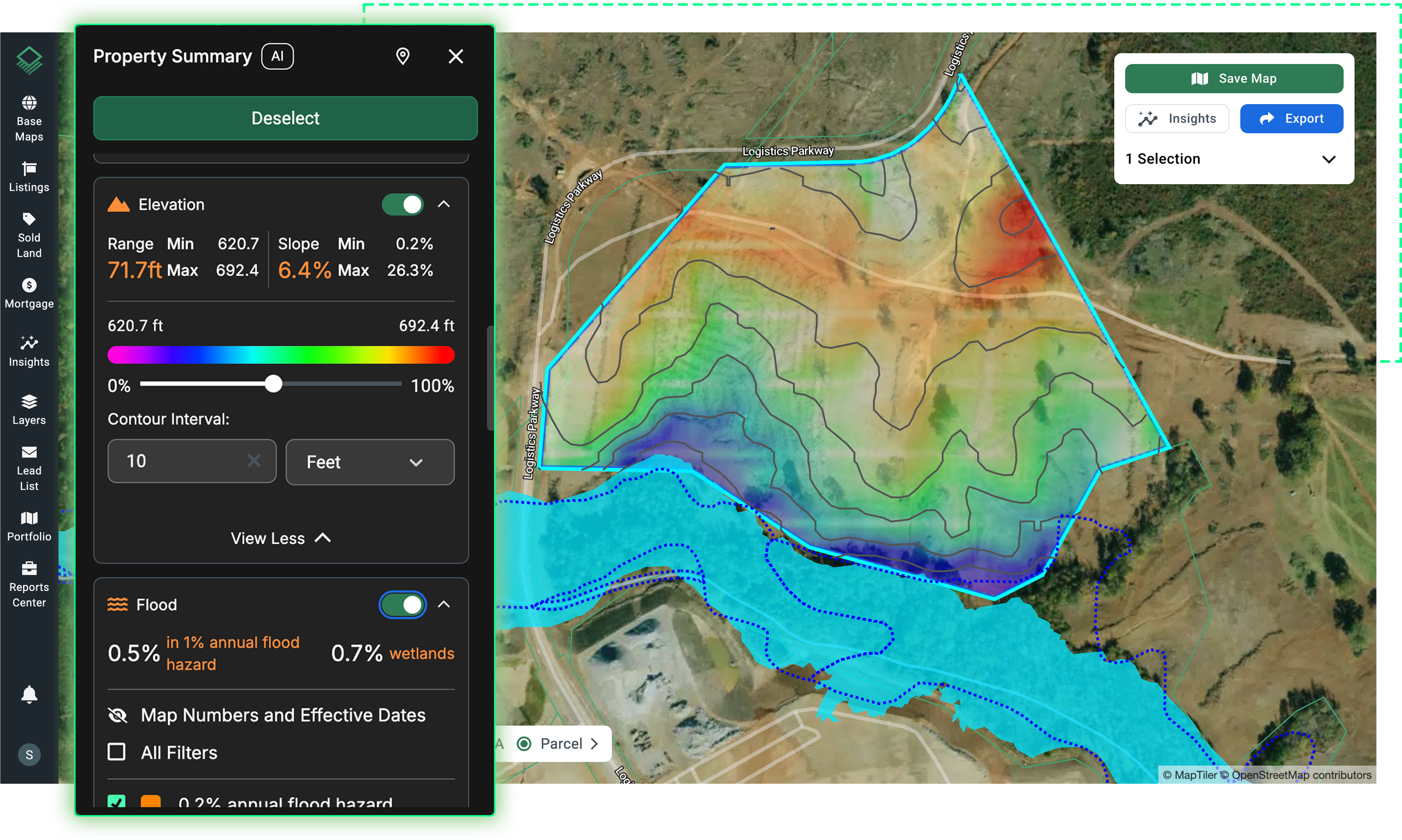
3. Fully Customizable to Match How Your Team Actually Builds
"It is fully customizable. You define the exclusion areas, road layouts, lot types, where you want those different lots to appear, and more." — Amanda Banks
Takeaway: No two projects nor builders approach a site the same way. Site Planner is built around that reality. You can define right-of-way specs like road width, sidewalk width, and corner radius. You can configure lot types with their own widths, depths, and setbacks. You can mark exclusion areas as buildable or unbuildable, add custom buffers, and even manually edit individual lots to carve out premium positions or remove lots that don't make sense. Site Planner flexes to match your team’s process.
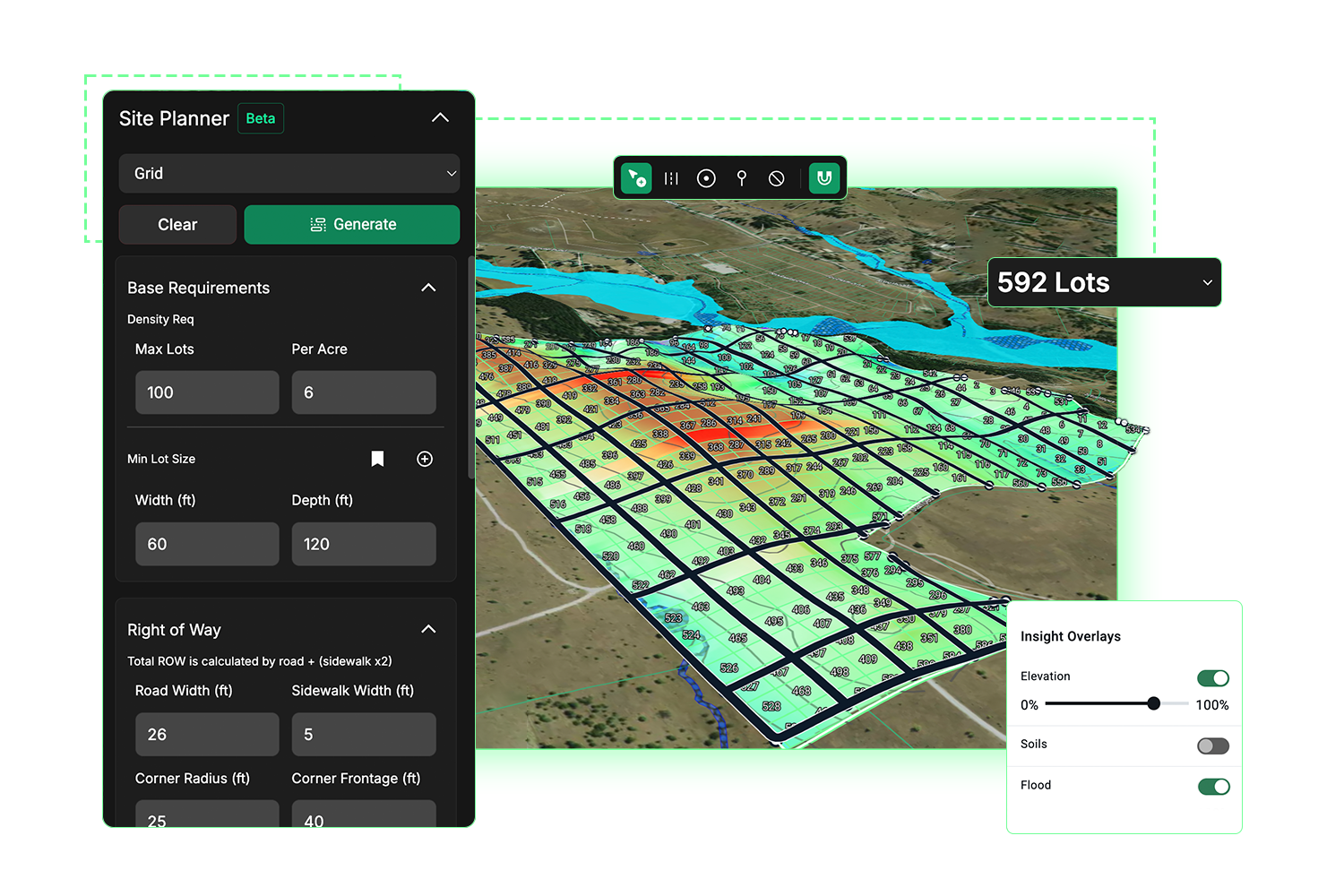
4. Real-Time Yield Reports and Density Checks Built In
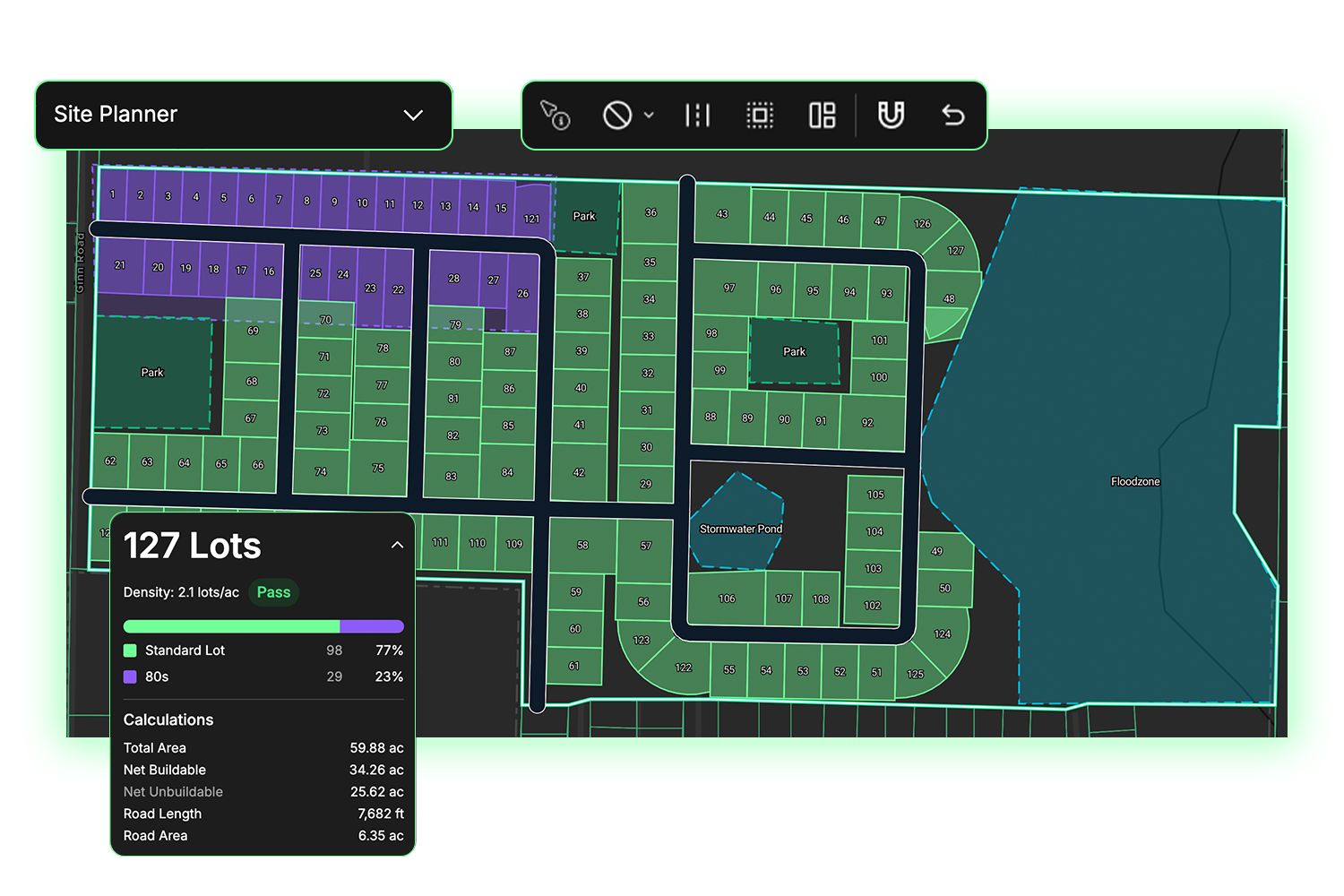
"You have a lot yield report which updates in real time and is complete with your lot type percentages, buildable area, road lengths, and more. A pass-fail density check to ensure that you're compliant with your zoning requirements, and a presentation-ready plan." — Amanda Banks
Takeaway: Every road you draw and every lot adjustment you make updates the yield report instantly. You'll see total lots, net buildable and unbuildable area, road length, and road area—all in one panel. Plug in your jurisdiction's max lots per acre and minimum lot size, and Site Planner runs a continuous pass-fail density check as you work, so you know whether you're within your limits before you ever leave the page. The result is a presentation-ready plan you can share with internal and external partners on the same day you start it.
5. Evaluating 3 Site Plans Per Month Versus 20
“I keep coming back to a quote that we heard in our research phase, which was now I can review 20 sites per month instead of two to three. And that's always ultimately our goal is to save you time and also in the case of things like third party engineering reports to save you a lot of money by automating this piece of the process that can be a bottleneck for a lot of teams.” — Amanda Banks
Takeaway: When lot yield analysis is a bottleneck, your acquisition pipeline can become gated by how many sites your team or your outside engineers can push through in a month. Teams that previously could only justify a full feasibility analysis on two or three priority sites a month can now run that same analysis on twenty—surfacing more viable opportunities, killing bad deals faster, and keeping the engineering spend reserved for sites that have already cleared internal hurdles.
Final Thoughts
Whether you're evaluating a single parcel or running a high-volume acquisition pipeline, Site Planner gives your team the speed, flexibility, and control to make faster, more confident land decisions.
Book a demo today to see what Site Planner can do for your team.